Names ImmiAccount accepts
Files are named for what they are, using only letters, numbers, dashes and underscores. Type your own name and it’s made safe for you.
Each document becomes its own PDF under 5 MB, with a file name ImmiAccount accepts and no password or fillable form fields.
Your files stay on this device.
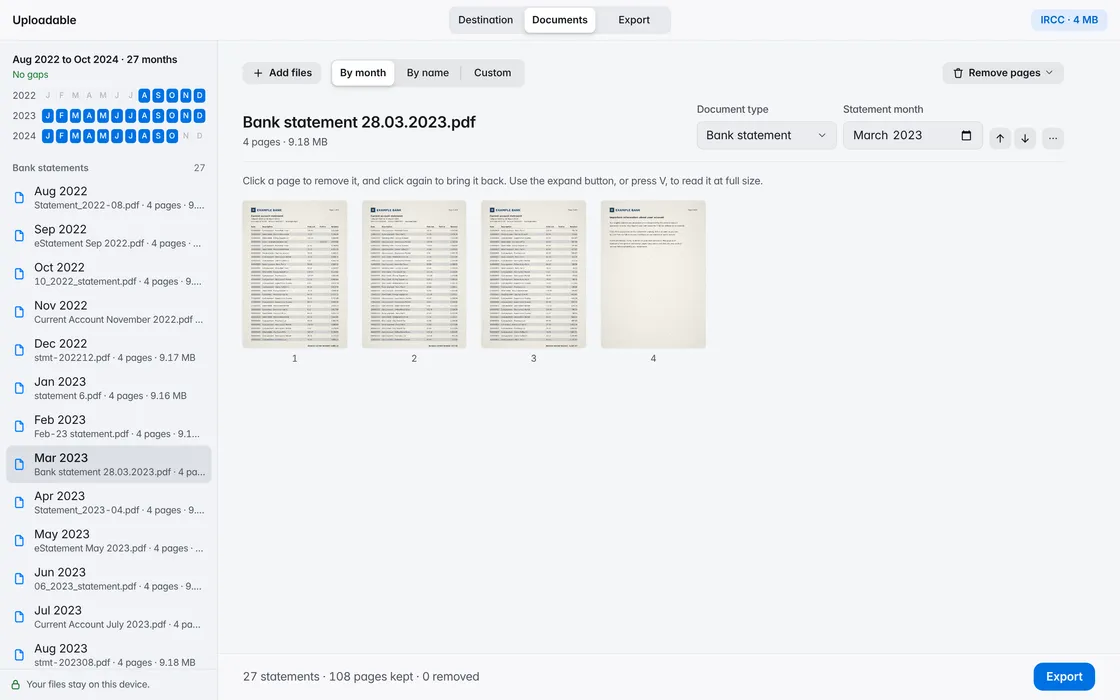
Files are named for what they are, using only letters, numbers, dashes and underscores. Type your own name and it’s made safe for you.
Password-protected statements are unlocked with the password your bank gave you, and fillable forms are flattened so what you typed stays on the page.
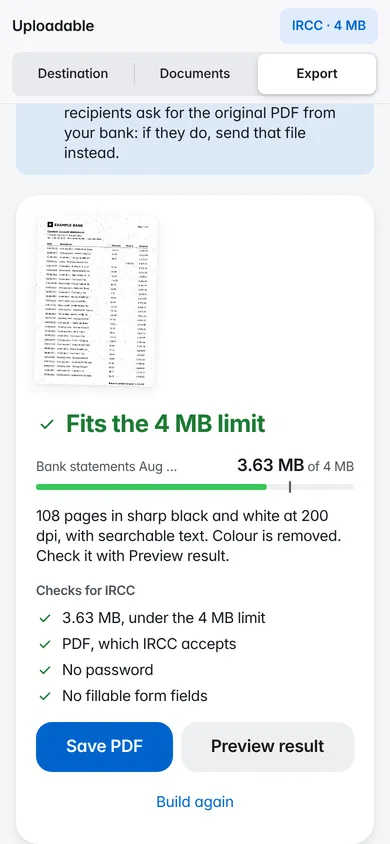
If your documents already fit, they’re kept exactly as they are. If not, images are shrunk first, then pages become crisp black and white at the sharpest resolution that fits. The text stays searchable.
Fits the 5 MB limit
Uploadable opens, sorts and compresses your documents inside this browser tab. There’s no account, and no server ever sees your files. It remembers only your light or dark choice and the last destination you picked.
Rules change. Check the portal’s own guidance before you submit.
Up to 60 files per application, or 100 for partner visas, each up to 5 MB. Uploadable counts your files and checks them before you save.
Names with letters, numbers, dashes and underscores only. Spaces, brackets and accents are a common reason for a rejected upload, so Uploadable names each file safely, for example Bank-statement-2024-07.pdf.
No. Upload each PDF on its own. Uploadable can also save the whole set as a ZIP for your own records.
No. Uploadable works inside your browser tab. Your documents are read and saved on your device and are never sent to a server. It remembers only your light or dark choice and the last destination you picked.
Yes. Enter the password your bank gave you. It’s used on this device only and isn’t stored. The file you save has no password, as upload portals require.
No. Uploadable is an independent tool and isn’t affiliated with any government, lender or letting agent. Check the portal’s own guidance, linked on this page, before you submit.