The right way up
Photos taken sideways are turned upright from what the camera recorded. Rotate or crop any of them before you save.
Add JPG, PNG or iPhone photos, turn them the right way up, crop out the table, and save one PDF or one per document.
Your files stay on this device.
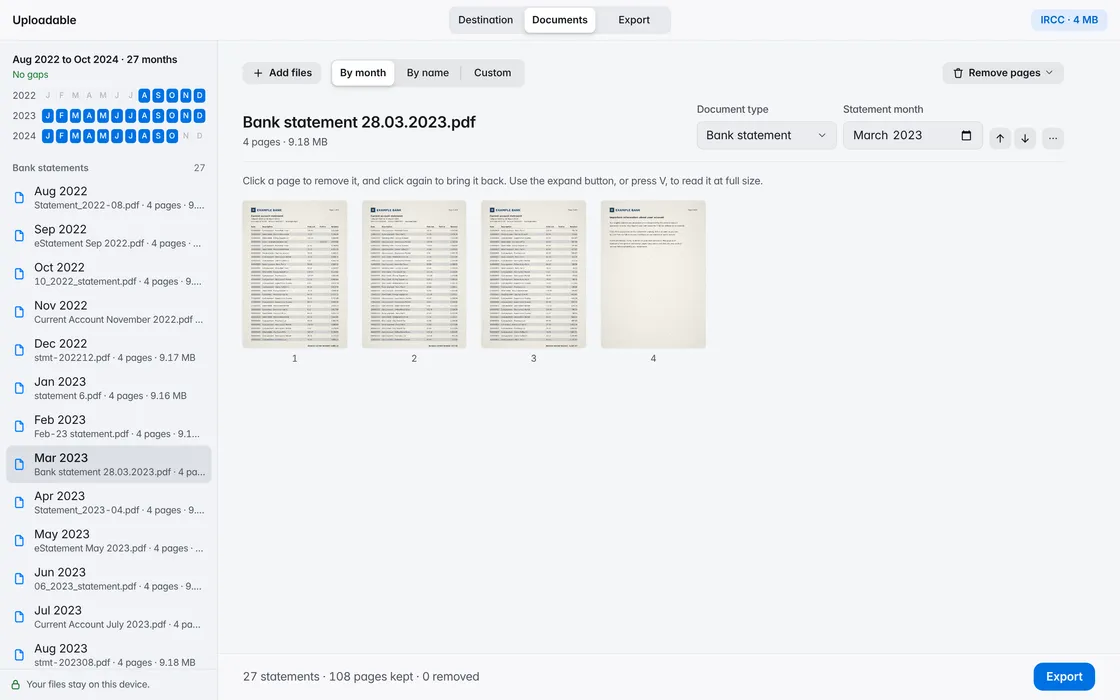
Photos taken sideways are turned upright from what the camera recorded. Rotate or crop any of them before you save.
Several photos of one passport become one PDF. Separate documents each become their own file, named for what they are.
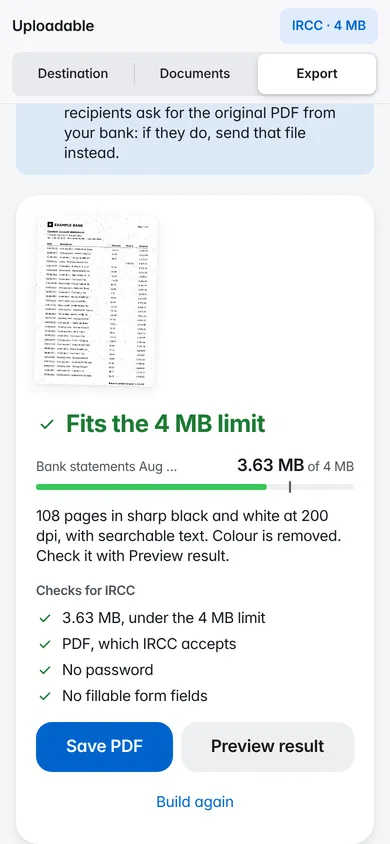
If your documents already fit, they’re kept exactly as they are. If not, images are shrunk first, then pages become crisp black and white at the sharpest resolution that fits. The text stays searchable.
Fits the 4 MB limit
Uploadable opens, sorts and compresses your documents inside this browser tab. There’s no account, and no server ever sees your files. It remembers only your light or dark choice and the last destination you picked.
Yes. JPG and PNG photos work in every browser. iPhone photos saved as HEIC open in Safari. In other browsers, set your iPhone camera to Most Compatible, or share the photo as a JPG.
Yes. Uploadable reads the orientation your camera recorded and turns each photo upright. You can also rotate or crop any photo before saving.
No. Uploadable works inside your browser tab. Your documents are read and saved on your device and are never sent to a server. It remembers only your light or dark choice and the last destination you picked.
Nothing. There’s no account to create and nothing to install.