Under 4 MB, and still easy to read
If your documents already fit, they’re kept exactly as they are. If not, images are shrunk first, then pages become crisp black and white at the sharpest resolution that fits. The text stays searchable.
Shrink scanned statements and documents to fit a 4 MB upload limit, with text kept sharp and searchable.
Your files stay on this device.
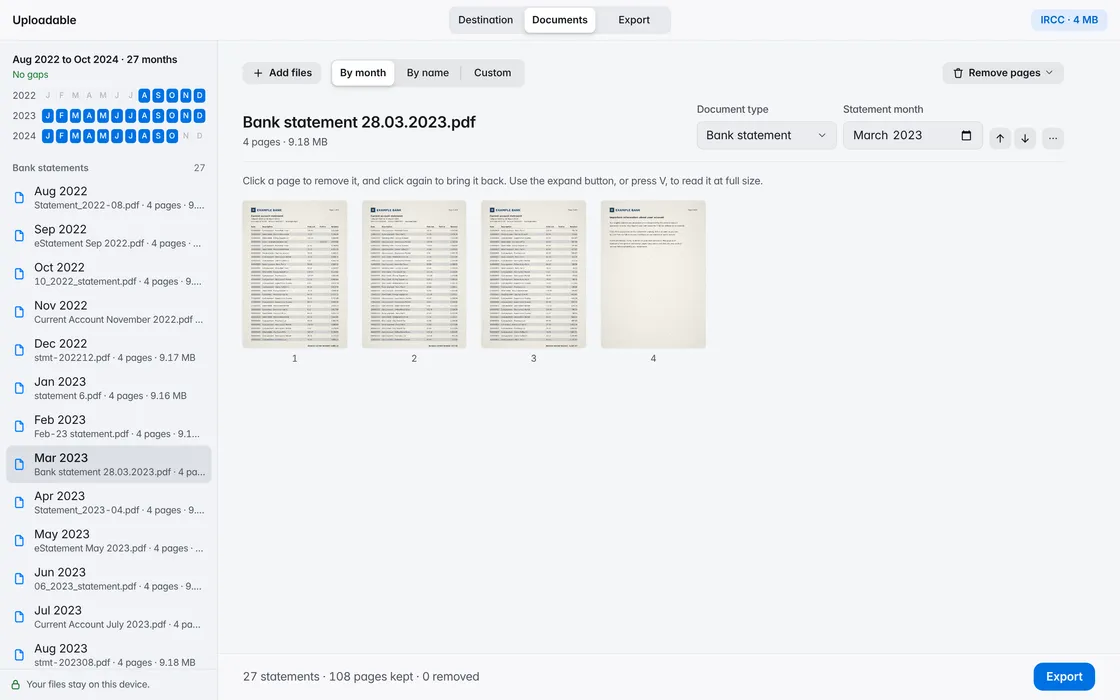
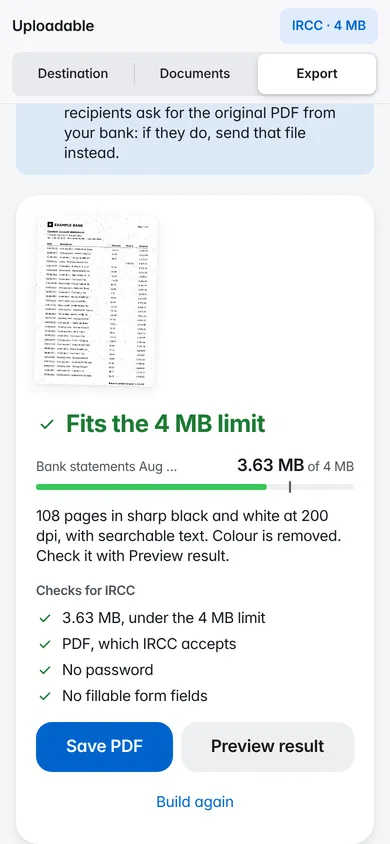
If your documents already fit, they’re kept exactly as they are. If not, images are shrunk first, then pages become crisp black and white at the sharpest resolution that fits. The text stays searchable.
Fits the 4 MB limit
If a long document can’t fit 4 MB and stay easy to read, it can be split into parts that each fit, or made into one smaller file. You choose.
A lender asks for 2 MB, a letting agent for 10 MB: set the number and the file is made to fit it.
Fits the 2 MB limit
Uploadable opens, sorts and compresses your documents inside this browser tab. There’s no account, and no server ever sees your files. It remembers only your light or dark choice and the last destination you picked.
Small enough for the limit you set, without making pages hard to read. Below 200 dpi black and white, Uploadable asks first: it can split the document into parts that each fit, or make one smaller, less sharp file.
Yes. If your documents already fit, they’re kept exactly as they are. If not, Uploadable shrinks images first, then makes crisp black and white pages at 200 dpi or sharper, with the text kept searchable. If that still can’t fit, it offers to split the file into parts instead of making it blurry.
No. Uploadable works inside your browser tab. Your documents are read and saved on your device and are never sent to a server. It remembers only your light or dark choice and the last destination you picked.
No. Uploadable never edits text or amounts. It can only put files in order, remove whole pages and make files smaller.
Nothing. There’s no account to create and nothing to install.